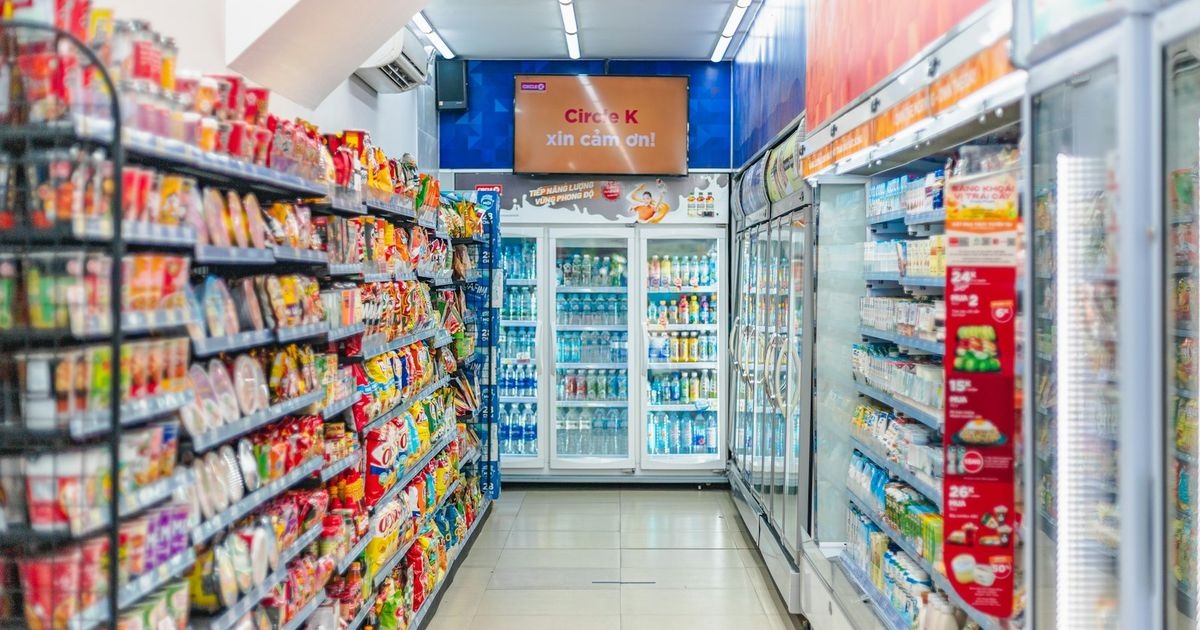
A mini-mart looks simple from the outside: shelves, a fridge, a counter. Behind it are hundreds of products, dozens of suppliers, thin margins and long opening hours. Small inefficiencies such as an empty shelf, a pricing mistake or a cash difference add up quickly. This guide covers practical ways to run a mini-mart, convenience store or small grocery more efficiently.
Everything else depends on a clean product list. For each item record:
Mini-marts often have the same product in several sizes and flavours. Treat each as a separate product, or use variants, so stock and sales are tracked correctly.
Most packaged goods already have barcodes. Scanning at checkout is faster than searching or typing prices, and it stops staff choosing the wrong product. For items without barcodes, such as bakery items, repacked rice or local products, print your own barcode labels.
Keep prices in one place, your POS, not on handwritten notes. When a supplier raises prices, update the cost and decide on the new selling price straight away so your margin doesn't shrink unnoticed. Check shelf labels against the system regularly.
Not all products need the same attention:
| Product type | Examples | How to manage |
|---|---|---|
| Fast movers | Water, soft drinks, instant noodles, cigarettes, ice | Set reorder levels; check daily; never run out |
| Perishables | Milk, bread, eggs, yoghurt | Order small and often; track expiry; rotate stock (first in, first out) |
| Steady items | Soap, detergent, cooking oil | Weekly review; reorder from supplier lists |
| Slow movers | Specialty items, large packs | Review monthly; reduce or stop reordering if they don't sell |
For reorder levels and spot counts, see Stock control basics. When numbers don't match, use how to prevent inventory mistakes.
A typical mini-mart buys from beverage distributors, snack wholesalers, local bakeries and general wholesalers. To keep this under control:
Neighbourhood shops often sell on credit to regulars. Replace the notebook with customer accounts in your system, so you can see who owes what and since when. Recording customers also shows who your best customers are.
Here's how a mini-mart might set reorder levels. The figures are illustrative; use your own sales history.
| Product | Average sold per day | Supplier delivery time | Safety stock | Reorder level |
|---|---|---|---|---|
| Drinking water 1.5L | 30 bottles | 2 days | 20 | 80 bottles |
| Instant noodles (single) | 25 packs | 3 days | 25 | 100 packs |
| Cooking oil 1L | 6 bottles | 4 days | 6 | 30 bottles |
| Dish soap | 3 bottles | 7 days | 5 | 26 bottles |
Formula: daily sales × delivery days + safety stock. Review the numbers every few months, and before festivals or holidays when demand changes.
A five-minute routine at closing time prevents many problems:
Long opening hours usually mean several cashiers across shifts. Give each person their own login, so every sale and every cash difference can be traced to a shift. Count the cash drawer at each shift change, not only at closing. Write down simple rules (how to record non-cash payments, what to do with damaged items, who can give discounts) and keep them at the counter. Clear rules prevent more problems than close supervision does.
If you open another branch, keep stock separate for each location from day one and record transfers between them. Compare both shops' sales and profit before expanding further. Our guide to retail management software explains what to look for when you outgrow a single-shop setup.
Monday: review last week's best sellers and slow movers; prepare supplier orders from the low-stock list. Delivery days: check goods against orders and record them immediately. Daily: close the day with a cash check and record breakage. Friday: cycle count drinks and snacks. Month-end: review profit by category and customer balances.
KyeFlow includes a POS with barcode scanning and thermal receipt printing, barcode label printing, product variants and batch expiry dates, supplier purchases and customer balances. Prices can be in kip. Sales and stock reports, stock counts and transfers between shops are included in the Standard and Premium plans.
Key takeaways
At minimum a POS with barcode scanning and receipts. As the shop grows, inventory, purchasing, customer credit and reports become important too.
Set reorder levels based on daily sales and supplier delivery times, and check a low-stock list before placing orders.
Record every sale in the POS, give each cashier their own login, count the drawer at each shift change and check non-cash payments against your banking app daily.
Run your mini-mart with less guesswork. See how KyeFlow connects your counter, shelves and suppliers. Explore KyeFlow or start a free trial.